JS 实现 URL 变换

前言

今天无聊找东西玩翻书签翻到了 http://glench.com/hash/
就想着找源码搬到 blog 上,转了半天发现作者没开源,就有了下文。

演示

警告!请使用无痕模式再点击下面的按钮,不然会有一堆的历史记录。
表情循环:
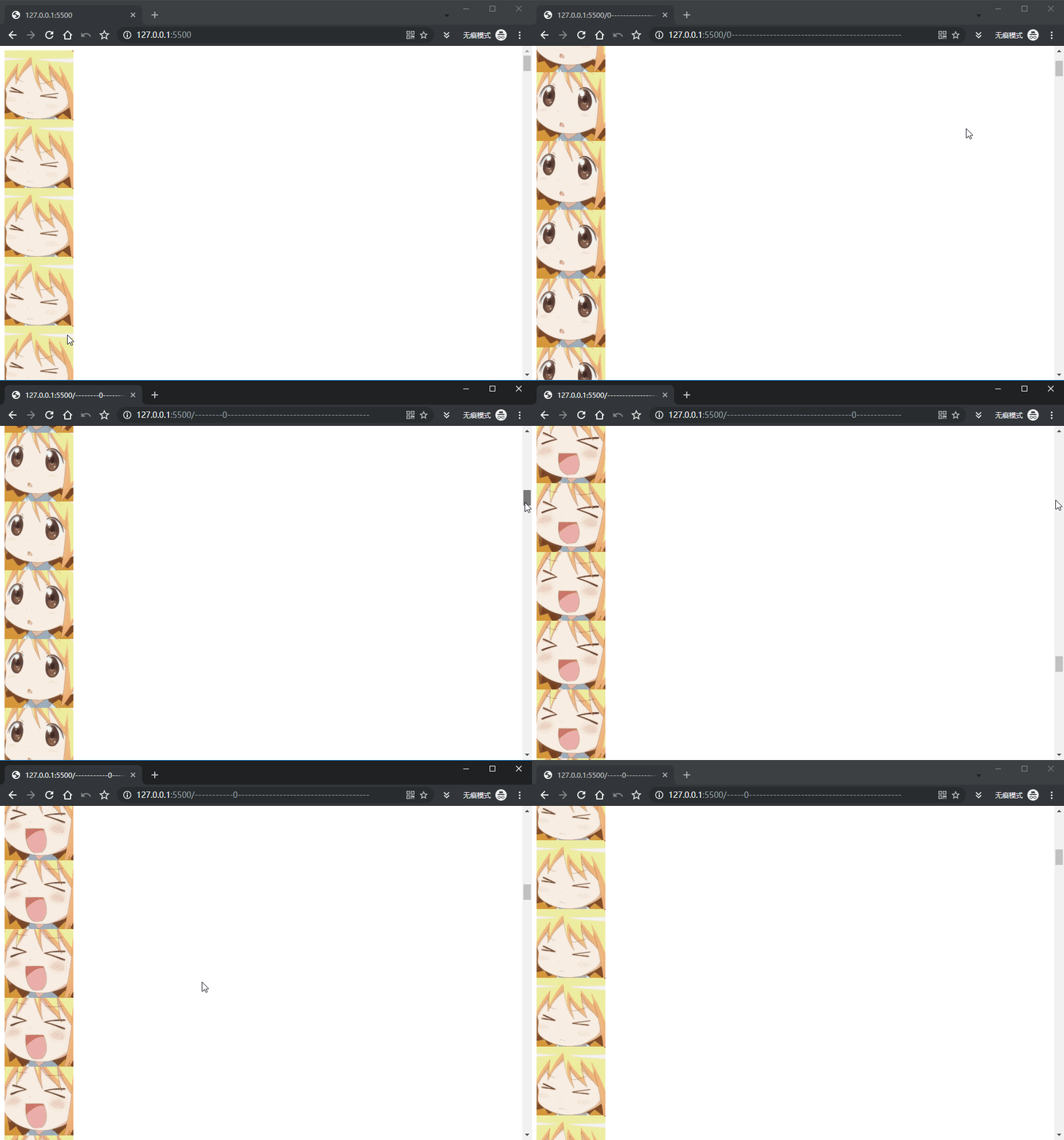
滚动条位置动画:
滚动条动画演示

代码

ver0.2
1
2
3
4
5
6
7
8
9
10
11
12
13
14
15
16
17
18
19
20
21
22
23
24
25
26
27
28
29
30
31
32
33
34
35
36
37
38
39
40
41
42
43
44
45
46
47
48
49
50
51
52
53
54
55
56
57
58
59
60
61
62
63
64
65
66
67
68
69
70
71
72
73
74
75
76
77
78
79
80
81
82
83
84
85
86
87
88
89
90
91
92
93
94
95
96
97
98
99
100
101
102
103
104
105
106
107
108
109
110
111
112
113
114
115
116
117
118
119
120
121
122
123
124
125
126
127
128
129
130
131
//修改 url 的方法
//sub: 数组下标
//arr: 表情数组
async function setUrl(text) {
if (!!(window.history && history.pushState)) {
history.replaceState(null, null, window.location.href.split('#')[0] = text);
}
}
//修改 url 为默认 url
async function cleanUrl(url) {
if (!!(window.history && history.pushState)) {
history.replaceState(null, null, window.location.href.split('#')[0] = url);
}
}

function getPageHeight() {
let body = document.body,
html = document.documentElement;

let height = Math.max(body.scrollHeight, body.offsetHeight,
html.clientHeight, html.scrollHeight, html.offsetHeight);
return height;
}

function getWindowHeight() {
let height = window.innerHeight;
return height;
}

//循环动画使用的表情
var kaomoji = [
"(`・ω・)",
"(〃∀〃)",
"w(゚Д゚)w",
"_(:з」∠)_"
]

var emoji = [
"🌶️",
"💉",
"💦",
"🐂",
"🍺"
]

var bar = [
"-",
"0"
]

var defUrl = window.location.href.split('#')[0]; //默认 url

var scrollProgressIntervalId = null;

function scrollBarClick() {
UrlProgress(bar, 0, 1, 50, -1);
let e = window.event;
if (e != undefined) {
obj = e.target || e.srcElement;
}
if (e.path[0].innerText == "click") {
e.path[0].innerText = "stop";
window.addEventListener('scroll', e => scrollProgress(bar), true);
} else {
alert("需要停止请刷新!");
e.path[0].innerText = "click";
window.removeEventListener('scroll', scrollProgress(bar), true);
}

}

function scrollProgress(arr) {
let now;

let scrollAvail = getPageHeight() - getWindowHeight(); // 可滚动的高度
let scrollTop = document.documentElement.scrollTop || document.body.scrollTop || window.pageYOffset;

let length = 50;
now = (scrollTop / scrollAvail) * length;
now = parseInt(now);
UrlProgress(arr, 0, 1, 50, now);
}
//arr 对应前景,背景数组
//subBack 进度条背景
//subFore 进度条前景
//length 进度条总长
//now 当前进度
function UrlProgress(arr, subBack, subFore, length, now) {
let args = "";
for (let i = 0; i < length; i++) {
args = args + arr[subBack]
}

if (now >= 0) {
args = args.split('');
args.splice(now, 1, arr[subFore]);
args = args.join('');
}

setUrl(args);
}

//循环动画
var UrlLoopIntervalId = null;

function UrlLoop(speed, arr, defUrl) {
var e = window.event;
if (e != undefined) {
obj = e.target || e.srcElement;
e.path[0].innerText = "stop";
}
//上面:
//选择触发方法的元素

if (UrlLoopIntervalId == null) {
this.speed = speed || '1000';
var i = 0;
UrlLoopIntervalId = setInterval(function () {
setUrl(arr[i]);
i++;
if (i == arr.length) {
i = 0;
}
}, speed);
} else {
clearInterval(UrlLoopIntervalId);
cleanUrl(defUrl);
UrlLoopIntervalId = null;
e.path[0].innerText = "click";
}
}
ver0.1
1
2
3
4
5
6
7
8
9
10
11
12
13
14
15
16
17
18
19
20
21
22
23
24
25
26
27
28
29
30
31
32
33
34
35
36
37
38
39
40
41
42
43
44
45
46
47
48
49
50
51
52
53
54
55
56
57
58
59
60
61
62
63
64
65
66
67
68
69
70
71
72
73
74
75
76
77
78
79
80
81
82
83
84
85
86
87
88
89
90
91
92
93
94
95
96
97
98
99
100
101
102
103
104
105
106
107
108
109
110
111
112
113
114
115
//修改 url 的方法
//sub: 数组下标
//arr: 表情数组
async function setUrl(text) {
if (!!(window.history && history.pushState)) {
history.replaceState(null, null, window.location.href.split('#')[0] = text);
}
}
//修改 url 为默认 url
async function cleanUrl(url) {
if (!!(window.history && history.pushState)) {
history.replaceState(null, null, window.location.href.split('#')[0] = url);
}
}

function getPageHeight() {
let body = document.body,
html = document.documentElement;

let height = Math.max(body.scrollHeight, body.offsetHeight,
html.clientHeight, html.scrollHeight, html.offsetHeight);
return height;
}

function getWindowHeight() {
let height = window.innerHeight;
return height;
}

//循环动画使用的表情
var kaomoji = [
"(`・ω・)",
"(〃∀〃)",
"w(゚Д゚)w",
"_(:з」∠)_"
]

var emoji = [
"🌶️",
"💉",
"💦",
"🐂",
"🍺"
]

var bar = [
"-",
"0"
]

var defUrl = window.location.href.split('#')[0]; //默认 url

var scrollProgressIntervalId = null;
window.addEventListener('scroll', e => scrollProgress(bar), true)

function scrollProgress(arr) {
let now;

let scrollAvail = getPageHeight() - getWindowHeight(); // 可滚动的高度
let scrollTop = document.documentElement.scrollTop || document.body.scrollTop || window.pageYOffset;

let length = 50;
now = (scrollTop / scrollAvail) * length;
now = parseInt(now);
UrlProgress(arr, 0, 1, 50, now);
}
//arr 对应前景,背景数组
//subBack 进度条背景
//subFore 进度条前景
//length 进度条总长
//now 当前进度
function UrlProgress(arr, subBack, subFore, length, now) {
let args = "";
for (let i = 0; i < length; i++) {
args = args + arr[subBack]
}

if (now >= 0) {
args = args.split('');
args.splice(now, 1, arr[subFore]);
args = args.join('');
}

setUrl(args);
}

//循环动画
var UrlLoopIntervalId = null;

function UrlLoop(speed, arr, defUrl) {
var e = window.event;
if (e != undefined) {
obj = e.target || e.srcElement;
e.path[0].innerText = "stop";
}
//上面:
//选择触发方法的元素

if (UrlLoopIntervalId == null) {
this.speed = speed || '1000';
var i = 0;
UrlLoopIntervalId = setInterval(function () {
setUrl(arr[i]);
i++;
if (i == arr.length) {
i = 0;
}
}, speed);
} else {
clearInterval(UrlLoopIntervalId);
cleanUrl(defUrl);
UrlLoopIntervalId = null;
e.path[0].innerText = "click";
}
}

TODO

  • 加一个进度条动画获取滚动位置改变进度。
  • 同时打开多个弹窗,实现播放动画。
  • 按钮解绑滚动条事件
  • 在进度条的末端加进度的百分比